Steps to install windows service
- Create a
start.batfile with contentnpm start - Download nssm
- Extract it and go to
nssm/win64folder - Type
nssm install service-namefrom command prompt - Select
start.batas Application Path, you could also add your startup Arguments here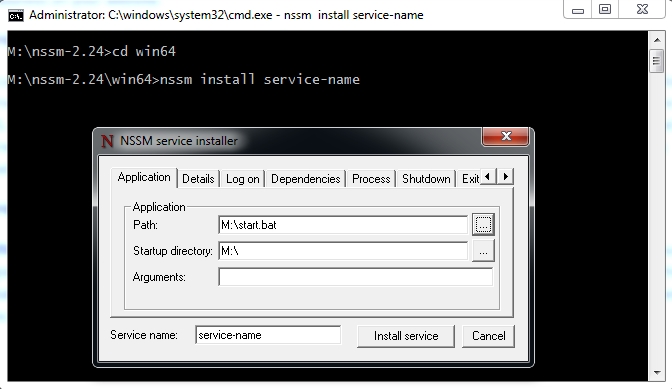
- Start service with
nssm start service-name - You could find it already registered as windows service :)
NSSM commands reference
You could type nssm anytime to see this document
1 | M:\nssm-2.24\win64>nssm |